Ask your budget anything.
Connect Claude to your Actual Budget. Ask where the money went, get real analysis back, and let it write without holding your breath.
> Based on my spending so far, will I end up over or under budget this month?

Category      Budget    Spent    Projected   Status
────────────  ────────  ───────  ─────────   ──────
Groceries     $600      $412     $578        ✓ On track
Dining Out    $200      $187     $262        ✗ Over by $62
Transport     $150      $89      $125        ✓ Under
Shopping      $300      $245     $343        ✗ Over by $43
─────────────────────────────────────────────────────
Overall       $1,250    $933     $1,308      ⚠ $58 over

> Move $60 from Transport to Dining Out

✓ Done. Transport: $150 → $90. Dining Out: $200 → $260. Your projected overage drops from $58 to $2.

> What day of the week do I spend the most?

Saturdays, averaging $127/week vs $45 on weekdays. Most of it is Dining Out and Shopping. Last 3 months show the same pattern.
Listed in the official Actual Budget community projects.
On Claude Desktop there is nothing to paste: install the extension.
How it works.
Install the extension, or one command
Drag one file into Claude Desktop, or paste a single line for Claude Code, Cursor or Docker. No cloud accounts, no API keys to manage.
Point it at your Actual Budget
Set your server URL and password. Your data stays on your machine. Nothing is sent anywhere.
Ask Claude anything about your finances
Query accounts, analyze trends, create transactions, reallocate budgets, without leaving the conversation.
Local connection only. No cloud. No intermediaries.
Just ask.
Because "am I overspending on food?" shouldn't require three filters and a custom date range to answer.
Read, analyze, and edit.
37 tools across 3 categories. Everything you need without leaving the conversation.
accounts · budget · transactions · categories · payees · rules · balances · history · summary
budget vs actual · projections · category trends · spending breakdown · month summary
create · split · update · delete · transfer · recategorize · budget amounts · categories · payees · rules · bank sync · currency reconciliation · sync repair
What makes it different
See it work.
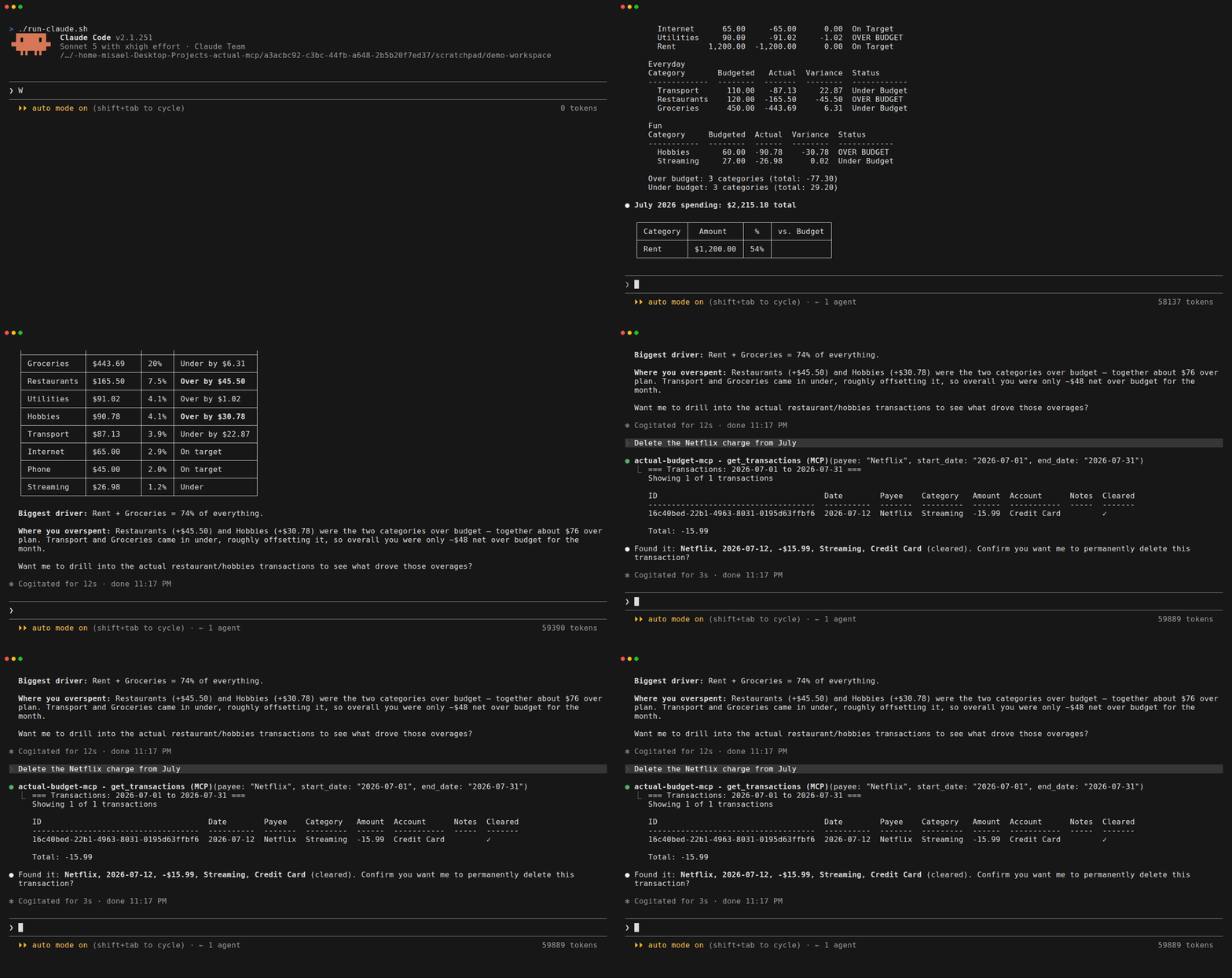
A real session against a demo budget. Note the second half: the delete stops and asks, because the transaction was already cleared.
Get started.
✓ Actual Budget running with the server enabled
✓ Claude Desktop, Claude Code, or any MCP client
Claude Desktop
Install the extension
One file, nothing to compile and no config to edit. Open Claude Desktop, go to Settings, then Extensions, and drag the file there. Fill in your server URL, Sync ID and password, and ask.
Download the extension56 MB, everything included. No Node.js needed: Claude Desktop runs it on the one it ships with. On Windows, drag it into Settings, Extensions: double-clicking the file does not open Claude.
Other clients, from the command line:
Your budget ID is the Sync ID in Actual under Settings → Show advanced settings.
Not ChatGPT: its connectors only accept remote HTTPS servers, and this one runs on your own machine.
Step by step, with screenshots of what to fill in: How to connect Actual Budget to Claude.